Home

Blog

  • CCS1 Connector Selection Guide for North American DC Fast Charging Projects CCS1 Connector Selection Guide for North American DC Fast Charging Projects
    Mar 31, 2026
    CCS1 still matters in North American DC fast charging projects. J3400 is expanding, but many sites still need to make practical CCS1 decisions for chargers being specified and deployed now. That keeps CCS1 selection part of active project work instead of treating it only as a legacy compatibility issue.   A useful CCS1 selection process starts with project conditions. The task is to decide whether a connector fits the application, thermal and cooling requirements, operating conditions, and integration requirements well enough to support reliable rollout and field performance. When those conditions are reviewed early, later decisions on connector class become much easier.     Why CCS1 Selection Still Matters in Current DC Charging Projects A CCS1 connector decision affects more than the charging interface. It also shapes cable design, thermal behavior, assembly complexity, and what has to be confirmed before a charger is ready for rollout. Once those choices are built into the system, they are harder to change without slowing the project or reopening integration work. That is why connector selection belongs early in the design process, while adjustment is still possible.   Reliable CCS charging also depends on more than nominal compliance. Conformance, robustness, interoperability, and stable charging behavior across equipment from different manufacturers all affect how well a charging system performs after deployment. In practice, that means CCS1 selection should be reviewed while cooling path, operating environment, integration details, and validation scope can still be assessed together. If those checks are left too late, the connector may still look correct on paper but create avoidable friction during commissioning or field use.     What Should Drive CCS1 Connector Selection A CCS1 connector should be selected in steps, not by model or rating first. The clearest approach is to start with the project’s real charging scenario, then move outward to thermal and cooling requirements, operating conditions, and integration fit.   Start with the charging scenario. Define how the charger is expected to work after deployment: what kind of site it serves, how long a typical charging session lasts, how often the charger is used, and how hard the hardware is expected to run over repeated use. A connector that seems acceptable in a light or controlled scenario may become the wrong fit in a harder-working application.   Then review thermal and cooling requirements. In DC fast charging, connector selection cannot be separated from temperature rise, cooling path, sensor setup, and the charger’s control strategy. If thermal demands are not clear early, the project usually pays for it later through tighter operating margin, slower commissioning, or weaker charging stability in the field.   Check operating conditions before locking the choice. Outdoor exposure, ambient temperature range, handling frequency, and service conditions all change what the connector needs to deliver in real deployment. A connector that works in a controlled setting may face very different demands in a public fast charging site with repeated daily use. Those differences affect wear, protection expectations, and the amount of room the project has for error.   Confirm integration fit and validation readiness. Cable structure, routing, sensor choice, assembly details, and commissioning workflow all affect whether the connector moves smoothly from specification into build. A connector should also leave room for conformance and interoperability checks before rollout, not after procurement has already narrowed the design path.   If this order is clear, later decisions on connector class, cooling route, and shortlist fit become easier to defend.     How Current Class Changes the Decision Current class should come out of project requirements, not lead the discussion from the start. Once the charging scenario, thermal and cooling requirements, operating conditions, and integration path are clear, the project team can make a more useful judgment about connector class. That is a more reliable approach than treating the highest available rating as the safest choice. In DC fast charging, a higher current class can increase capability, but it also raises the demands placed on thermal control, cable design, and commissioning discipline.   Lower current classes can make sense when the charging profile is more controlled and the project does not need a harder-working fast-charging configuration. In those cases, selection pressure usually sits less on thermal headroom and more on environmental fit, durability, and smooth integration into the charger design. The connector still has to match deployment conditions, but the project may not need to move upward if the site behavior does not justify it.   The decision becomes more sensitive as the project moves into a higher current class. Repeated load, temperature rise, sensor path, cable-side complexity, and overall operating margin all begin to matter more. At that point, connector selection becomes less forgiving. A class that looks acceptable in a current-only or datasheet-level comparison may still require closer review once the charger is expected to run harder, cycle more often, or operate with tighter thermal headroom.   High-current review should therefore be treated as a project checkpoint, not just a larger-number option. The team should confirm not only that the connector class is available, but that the charger design, cooling path, operating environment, and validation plan can support it with enough margin for stable rollout and field use.     When a Naturally Cooled CCS1 Connector Makes Sense A naturally cooled CCS1 connector makes sense when the project needs solid DC charging performance without adding more cooling-system complexity than the application actually requires. In many cases, the goal is not to push the charger toward the highest possible output at any cost. The goal is to support the right charging behavior with a system that is easier to build, validate, and maintain.   That usually becomes a realistic option when the site profile is demanding but still controlled. The charger may need to support demanding DC fast charging, but not a duty cycle that continuously pushes thermal limits. In that range, a naturally cooled architecture can reduce cable-side complexity and narrow the number of variables that must be managed during assembly and commissioning.   It also tends to make more sense when the project team wants a cleaner build path. A simpler cable-side design can reduce integration burden and lower dependence on additional cooling-related subsystems.   Once a project begins to run under heavier repeated throughput, tighter thermal headroom, or more demanding site conditions, the cooling path deserves closer review. A naturally cooled connector may still be the right answer, but only if the charger design and operating pattern leave enough margin for stable field use.   Project condition Naturally cooled fit When to review a higher cooling requirement What to confirm Controlled DC fast charging profile Strong fit Review only if site demand is expected to rise materially Duty cycle, thermal margin Simpler cable-side architecture is a project priority Strong fit Review if added cooling complexity is acceptable Cable routing, system complexity Outdoor site with manageable daily throughput Good fit Review if operating stress rises over time Ambient conditions, handling frequency Repeated heavy use with tighter thermal headroom Needs closer review Stronger reason to assess Sensor path, operating margin Higher service pressure and lower tolerance for instability Depends on margin Stronger reason to assess Validation plan, service model     What to Verify Before Locking the Connector Specification Before a CCS1 connector moves into procurement, the project should confirm more than basic compatibility.   The first checkpoint is the real charging profile. Rated current only describes part of the picture. Session length, frequency of use, repeated heavy-load behavior, and expected operating window all shape whether the connector class actually fits the application.   The second checkpoint is the thermal path. The connector, the temperature-monitoring setup, and the charger-side control logic should already be moving in the same direction before the design is locked. If those pieces are still loosely defined, the result is usually a narrower operating margin and more uncertainty during commissioning.   The third checkpoint is the operating envelope. Outdoor exposure, ambient temperature, handling frequency, and service conditions all affect what the connector needs to withstand once the charger is live. A design that looks sufficient in a controlled review may behave very differently at a site with repeated public use and less room for error.   The fourth checkpoint is assembly fit. Cable routing, sensor configuration, connection details, and sealing choices can look secondary during early review, but they often become the source of late project friction. The closer the charger gets to build, the more expensive those adjustments become.   The fifth checkpoint is deployment readiness. A connector that appears correct on paper still has to perform correctly inside the charger system. If key questions around integration, validation, or operating margin are still open, it is usually better to pause the selection than to move into procurement and solve those issues later.     Why Thermal Monitoring and Interoperability Should Be Checked Early Thermal monitoring belongs in the selection stage because it affects more than fault protection. In DC fast charging, it also shapes how confidently the system can stay inside a workable operating range under repeated use. If temperature feedback is treated as a late detail, the project may discover too late that the connector, control path, and charging behavior were never fully aligned.   The same logic applies to interoperability. A connector can meet component-level requirements and still create trouble once it is integrated into a live charger. Reliable CCS charging depends on more than nominal compliance. Current industry guidance continues to treat conformance, robustness, interoperability, and stable charging behavior across equipment from different manufacturers as essential conditions for successful deployment.   These checks are most useful while the design still has room to adjust. If they are delayed until the charger is already deep into procurement or build, the project may end up absorbing avoidable rework, slower commissioning, or weaker field stability than expected.     A Practical Way to Shortlist a CCS1 Connector A CCS1 connector is worth shortlisting when the project can answer four questions with reasonable confidence. Does the connector class fit the real charging scenario? Does the cooling path leave enough thermal margin for the way the charger will actually run? Do the operating conditions match the connector’s expected field use? And are the integration and validation requirements clear enough to support a smooth rollout?   If those answers are mostly clear, the connector is usually in a good position to move forward. If the project still has major uncertainty around thermal behavior, cable-side design, operating environment, or system validation, the better move is to keep the review open rather than narrow the selection too early.   That is especially true once the project moves into a more demanding current class. At that point, selection becomes less tolerant of loose assumptions. Confirm project fit first, then confirm connector class, and only then move into procurement. That sequence usually reduces friction later in commissioning and field use.   A strong CCS1 selection process does not start by chasing the biggest number in the range. It starts by defining the job the connector needs to do, the conditions it needs to survive, and the charger system it has to work inside. Once those points are clear, the shortlist becomes easier to defend.   If your project is moving from early connector screening into technical review, the next step is usually to compare connector class, cooling approach, operating conditions, and integration fit against the charger’s real requirements. You can review Workersbee’s CCS1 DC Charging Connector page for a product reference point.
    Read More
  • How Portable Charging Helps Commercial Fleets Reduce Range-Related Risk How Portable Charging Helps Commercial Fleets Reduce Range-Related Risk
    Mar 26, 2026
    Range anxiety does not mean the same thing in a commercial fleet as it does for a private EV driver. In fleet operations, it is less about personal comfort and more about route confidence, vehicle readiness, service continuity, and the ability to keep daily schedules on track.   That is why portable EV charging should not be treated as a universal answer. For many fleets, depot charging remains the backbone, public charging fills access gaps, and portable charging adds flexibility where fixed infrastructure is limited, temporary, or not yet fully built out. The more useful question is not whether portable charging is helpful in general. It is where it reduces risk in a real fleet operation.     Why Range Anxiety Hits Fleets Differently In a private EV, range anxiety is usually discussed as a driver concern. In a commercial fleet, it quickly becomes a business issue. A vehicle that returns late, misses a route, or cannot complete a planned shift affects more than one trip. It can disrupt dispatch decisions, reduce vehicle utilization, and create avoidable pressure across the whole operation.   Missed routes and service disruption are one part of the problem. If operators are not confident that vehicles can complete their daily duty cycles, route planning becomes more conservative. That often means shorter assignments, more buffer time, or less efficient use of assets. Over time, the issue is not just range. It is lower productivity.   Downtime risk is another layer. A fleet vehicle does not create value when it is waiting for an unplanned charge, searching for a workable charging point, or sitting idle because the available charging option does not fit the schedule. For delivery fleets, service fleets, or commercial vans with repeated daily usage, that kind of uncertainty matters far more than the consumer version of range anxiety.   Fleet range anxiety is an operations issue, not just a battery issue. It sits at the intersection of route design, duty cycle, charging access, site planning, and daily readiness. Once that is clear, the discussion becomes more practical: which charging setup reduces risk, and under what conditions?     Where Portable Charging Actually Fits This topic often gets oversimplified because fleets rarely depend on a single charging path. Stronger charging strategies combine more than one option based on vehicle type, route pattern, dwell time, and site conditions.   For most commercial fleets, depot charging remains the core solution. It offers more control over charging windows, energy planning, and overnight readiness. Public charging can help where route coverage or off-site flexibility is needed, but it usually works best as part of a wider strategy rather than as the only plan.   Portable charging fits into a different role. It is most useful when a fleet needs flexibility that fixed infrastructure cannot yet provide. That may happen during early electrification, while a site is waiting for upgrades, when vehicles operate from temporary locations, or when backup charging is needed to reduce exposure to scheduling risk.   In those cases, portable charging is not replacing a full charging program. It is helping the fleet stay operational while infrastructure, usage, or deployment conditions are still evolving. That distinction matters. Portable charging is valuable when it solves a real operational gap. It becomes much less convincing when it is expected to function as the answer to every fleet charging challenge.     When Portable Charging Makes Sense Portable charging becomes most useful when a fleet needs flexibility that fixed infrastructure cannot yet provide. In many operations, the real value is not maximum charging power. It is the ability to keep vehicles moving while the charging strategy is still evolving.   One clear use case is early electrification. A fleet may be adding EVs before depot charging is fully built out, or before service upgrades are complete. In that situation, portable charging can help bridge the gap. It does not remove the need for long-term infrastructure, but it can reduce pressure during the transition period and help the operation move forward before the final charging setup is fully in place.   Portable charging can also make sense when backup coverage is needed. Some fleets already have a base charging plan, but still face uncertainty around overflow demand, irregular routes, maintenance windows, or site access limitations. In those cases, portable charging adds resilience. Its value comes from reducing exposure to gaps in the charging plan rather than serving as the main system for every vehicle.   Another practical fit is for light-duty or mixed-use fleets with variable operating patterns. If a fleet includes service vehicles, regional support vehicles, or smaller mixed-duty assets that do not all return under the same conditions every day, portable charging may offer useful breathing room. The key is that the charging window, vehicle energy demand, and available power still have to match.   Temporary sites and changing work locations are another strong fit. This is especially relevant where vehicles operate from remote, temporary, or reconfigured sites that are difficult to justify for permanent charging construction. In those settings, permits, trenching, grid work, and long installation timelines can make fixed charging a poor first move. Portable charging gives operators a way to reduce delay without pretending that temporary infrastructure is the final answer.     Portable Charging Fit at a Glance Fleet situation Where portable charging helps What it does not replace Early EV rollout Bridges the gap before depot charging is fully built Permanent site infrastructure Backup coverage needs Adds resilience during overflow, irregular routes, or site limitations A complete primary charging plan Light-duty or mixed-use fleets Supports variable daily use where flexibility matters High-throughput charging for intensive operations Temporary or changing sites Reduces delay where fixed construction is hard to justify Long-term scalable site planning       What Portable Charging Cannot Replace Portable charging becomes much easier to evaluate when its limits are clear. It can add flexibility, reduce exposure to charging gaps, and support temporary or transitional needs. What it does not do well is replace every part of a mature fleet charging system.   It does not replace high-throughput depot charging. When a fleet depends on predictable overnight charging for many vehicles, or needs to manage multiple vehicles within fixed return windows, depot charging remains the backbone. That kind of charging depends on structured site-level planning, not just mobility.   It also does not replace fast turnaround where power demand is high. If the operation relies on quick vehicle turnaround, high daily utilization, or heavier-duty vehicle cycles, charging speed and power availability become much more important. In those conditions, portable charging may help at the edges, but it is unlikely to function as the central answer.   Portable charging is also not a substitute for long-term site planning. Once a fleet moves beyond pilot scale, issues such as load management, charger placement, utility coordination, maintenance workflow, and site expansion become harder to avoid. A charging approach that works for a small pilot or temporary site may not scale cleanly once more vehicles are added.   Portable charging is strongest when it fills a gap. It is much weaker when it is expected to carry the full weight of a fleet charging strategy that really needs permanent infrastructure, structured charging windows, and long-term operational control.     How to Evaluate a Portable Charging Solution If portable charging is being considered, the first question should not be whether the equipment is technically portable. It should be whether the solution fits the fleet’s operating window, vehicle demand, and site constraints.   Power access comes first. A portable charging solution is only useful if the available power source is realistic for the vehicles and schedules involved. That means fleet operators need to look at plug compatibility, voltage, available circuits, and where charging will actually happen in daily operation. Flexibility on paper does not help much if usable power is inconsistent at the real site.   Charging speed also has to match the operating window. A portable charging unit may be valuable for overnight top-ups, standby vehicles, or low-urgency charging, but much less useful if the vehicle needs to return to service quickly. This is where many purchasing decisions go wrong. The device may work technically, but not operationally. The real question is whether that charge rate fits the time the vehicle is actually available.   Mobility and handling matter more than they seem. If equipment is moved between sites, vehicles, or work areas, storage, cable handling, weight, environmental exposure, and day-to-day usability all become part of the decision. A fleet solution that is difficult to move, protect, or deploy consistently can create friction instead of flexibility.   Durability and support should also be evaluated early. Commercial use creates different expectations from private or occasional charging. Fleets need equipment that can tolerate repeated handling, consistent operation, and real-world environmental conditions. Support, replacement availability, and service response all matter because a portable charging tool used as a backup or operational buffer still needs to be dependable when the fleet actually needs it.     What a Practical Fleet Charging Mix Looks Like The most resilient fleet charging strategies usually do not rely on a single charging path. They build around a base layer and then add flexibility where the operation needs it most.   For many fleets, the base layer is depot charging. It gives operators more control over overnight charging, vehicle readiness, and routine energy planning. On top of that, public charging can provide route support when vehicles move outside the normal site pattern or when additional coverage is needed.   Portable charging fits best as a flexible layer. It can help during early electrification, during site upgrades, at temporary locations, or when backup charging is needed to reduce operational exposure. Its strongest value is not that it replaces structured infrastructure. It is that it adds resilience when the charging plan cannot rely on fixed charging alone.   That is the more useful way to think about portable charging in fleet operations. Not as a complete charging strategy by itself, but as one part of a broader approach designed around uptime, flexibility, and deployment reality.     What Fleet Operators Should Keep in Mind Portable EV charging can help commercial fleets reduce range-related risk, but only when it is matched to the right use case. It is most useful where flexibility, backup coverage, temporary deployment, or transitional support matter more than maximum throughput.   For most fleets, that means portable charging works best as part of a wider charging mix rather than as a substitute for depot infrastructure or long-term site planning. The fleets that get the most value from it are usually the ones that understand both its strengths and its limits before deployment begins.   For businesses moving from planning to deployment, it helps to work with suppliers that understand both hardware fit and real operational requirements. Workersbee supports commercial EV charging projects with charging connectors, portable charging solutions, and related supply capabilities designed for practical deployment needs.
    Read More
  • How to Start an EV Charging Business in 2026 for Commercial Sites How to Start an EV Charging Business in 2026 for Commercial Sites
    Mar 23, 2026
      Many EV charging projects do not struggle because of charger quality alone. They struggle because the site, power plan, permit path, and operating model were never aligned from the start.   Starting an EV charging business in 2026 takes more than visible demand and a hardware budget. A workable project begins with the right charging use case, realistic site conditions, clear operating responsibilities, and a practical view of cost and return.   For site owners, operators, property managers, and commercial buyers, the first question is not which charger to buy. It is whether the site can support a reliable charging business before installation begins.     Choose the Right Charging Use Case Not all EV charging businesses work the same way. Many weak projects start with the assumption that they do.   A highway fast-charging site, a hotel parking area, an office campus, a fleet depot, and a residential property may all need EV charging, but they do not follow the same demand pattern, investment logic, or operating model. That difference should be defined first, before charger selection or ROI planning begins.   Public fast charging Public fast charging works best where drivers need quick, reliable energy and are unlikely to stay long. Highway corridors, urban traffic hubs, and visible roadside sites often fit this model. In these environments, the business case depends on throughput, uptime, easy access, and enough power capacity to keep vehicles moving.   Destination charging Destination charging works differently. Hotels, retail centers, restaurants, tourist sites, and mixed-use properties usually benefit from longer parking duration. Charging supports the broader visitor experience, and the value may come from more than charging revenue alone. Longer stays, better site appeal, and stronger service differentiation can all matter.   Workplace charging Workplace charging is usually less about turnover and more about convenience. Offices and business parks tend to have predictable parking patterns, which makes them suitable for lower-power charging that fits daily schedules rather than urgent demand. The value often comes from employee support, tenant experience, and long-term property competitiveness.   Fleet and depot charging Fleet and depot charging should be treated as a separate category. Commercial vehicles run on planned routes, fixed return windows, and strict readiness requirements. The charging strategy must support dispatch planning, energy management, and reliable scheduled charging. In these projects, operational continuity matters more than public visibility.   Multi-family charging Multi-family charging often depends on shared parking conditions, electrical upgrade limits, property management decisions, and future resident demand. These projects need a practical balance between installation cost, daily usability, and room to scale. The first rollout may be small, but the site should not create unnecessary expansion problems later.   The key question at this stage is simple: what kind of charging environment are you actually building? Once that answer is clear, the rest of the project becomes easier to evaluate. Site planning, power requirements, operating structure, hardware selection, and ROI expectations all become more realistic when the use case is defined first.     EV Charging Use Cases Use Case Typical Site Type Main Value Driver Key Planning Priority Public fast charging Highway corridors, urban hubs, roadside sites Throughput and uptime Power capacity and access Destination charging Hotels, retail centers, mixed-use sites Visitor experience and dwell time Parking duration and site fit Workplace charging Offices, business parks Employee convenience and property value Daily parking patterns Fleet and depot charging Logistics yards, bus depots, service fleets Vehicle readiness and operational continuity Energy planning and charging schedule Multi-family charging Residential communities, shared parking properties Resident convenience and long-term support Electrical upgrades and scalability     Check Site Feasibility First Once the charging use case is clear, the next step is to test whether the site can actually support it. This is where many promising plans begin to change.   A location may look attractive on paper and still perform poorly as a charging site. A busy site is not automatically a strong charging site. What matters more is how drivers use the location, how long they stay, whether they have a reason to charge there, and how often they are likely to return.   Traffic, dwell time, and user behavior Traffic volume alone is not enough. A site with moderate traffic and long parking duration can sometimes support a stronger charging business than a site with heavy traffic and no meaningful dwell time.   Power and upgrade risk Power availability should be checked early. Existing electrical infrastructure may be enough for a small installation, but higher-power or scalable deployments often require service upgrades, added coordination, or a longer implementation path. In many projects, the charger is not the hardest part. The supporting electrical work is.   Layout, access, and expansion potential Physical layout matters just as much. Charger placement, parking orientation, cable reach, traffic circulation, accessibility, safety, and equipment protection all affect whether the site will operate smoothly. A location can seem suitable at first glance and still create daily problems if vehicle access is awkward or future expansion has not been considered.   Expansion potential should be checked early as well. Some sites are planned only for the first phase, with little thought about what happens if charger use grows. If the project may need more charging points later, the layout, conduit planning, electrical design, and site access should not make that growth unnecessarily difficult or expensive.   Charger selection should come after site feasibility, not before it. When the site is wrong, even strong hardware will struggle to produce a reliable business outcome. When the site is right, the rest of the project becomes much easier to plan with confidence.   Address Permits and Utility Planning Early A viable site does not guarantee a smooth project. This is where many charging plans begin to slow down.   The problem is usually not hardware alone. It is often the permit path, utility coordination, or site compliance work that takes longer than expected. When these issues are treated as late-stage tasks, both schedule and budget become harder to control.   Permits and approval timelines Commercial charging projects often involve more than a simple equipment install. Local approvals, electrical review, construction-related checks, and final inspections can all affect the timeline. Even when the charger scope appears straightforward, the approval path may not be.   Utility coordination and service upgrades Utility coordination should start early, especially if the site may need a service upgrade or added capacity. This becomes even more important for DC fast charging, multi-point deployments, or projects with future expansion plans. In many cases, the electrical path shapes both the launch schedule and the cost structure long before installation begins.   Accessibility, safety, and site design Compliance is not just paperwork. Accessibility, safety, site circulation, equipment placement, and user access all influence how well the charging system will work in daily use. A design that only aims to pass review may still create operating problems later.   Permits, utility coordination, and compliance are not boxes to check after the business case is built. They are part of the business case. They affect timing, budget, site design, and project risk from the start.     Choose the Right Operating Model After the use case, site conditions, and project constraints become clearer, the next question is how the charging business will actually operate. That is different from deciding where chargers will be installed. It is about who will invest, who will manage daily operation, who will handle support and maintenance, and how value will be created over time.   Owner-operated charging In an owner-operated model, the site owner or project sponsor keeps direct control over the charging business. This approach gives the project more flexibility in pricing, service standards, customer experience, and long-term planning. It can also create stronger revenue control when the site already has clear charging demand. The trade-off is responsibility. The operator must be ready to manage uptime, maintenance coordination, payment systems, and day-to-day service expectations.   Third-party operated charging A hosted site does not always need to operate the charging system itself. In a third-party-operated model, the property provides the site while another party handles some or most of the charging operation. This can reduce the burden for hotels, retail sites, property owners, or business parks that want to offer charging without building a full internal charging function. The trade-off is lower control over pricing, service structure, and future operating changes.   Private charging for fleets Fleet charging follows another logic. The goal is not always public revenue. In many fleet projects, the real value comes from vehicle readiness, route continuity, lower fueling disruption, and better energy planning. Here, the charging system should be evaluated as part of the wider transport operation, not as a standalone public charging business.   Where the value comes from Revenue logic changes by site type. Some projects depend mainly on charging income. Others create value through parking revenue, longer customer dwell time, tenant support, employee convenience, or operational efficiency. A workable operating model does not copy what other sites are doing. It matches the property, the users, and the business goal behind the installation.   Before moving ahead, the project should have clear answers to four questions: who pays for the system, who operates it, who supports it after launch, and how the site expects to create value from it. If those answers are vague, the operating model is not ready yet.     Choose Hardware and Software That Fit the Project Hardware selection should follow site logic, not lead it. Once the use case, site feasibility, permit path, and operating model are clear, equipment choices become easier to align with the actual project.   When AC charging makes sense AC charging usually makes sense where vehicles stay longer and charging does not need to happen quickly. That often includes workplaces, hotels, residential properties, and other sites where dwell time supports lower-power charging. For many of these projects, the goal is convenience and steady access rather than rapid turnover.   When DC charging makes sense DC charging makes more sense when the site depends on faster turnaround, stronger throughput, or higher daily charging demand. Public fast-charging locations and some fleet environments often fall into this category. In these cases, power capacity, thermal performance, uptime, and maintenance readiness become much more important.   Power range and connector fit Power range and connector selection should reflect real use, not trend-driven assumptions. A project does not become stronger simply by choosing higher-power equipment. It becomes stronger when the equipment matches vehicle behavior, site role, and expected operating conditions. For businesses planning commercial deployment, this is also the stage to assess component reliability, serviceability, and long-term supply support.   Software, payment, and monitoring In commercial charging, software is not an add-on. It is part of daily operation. Payment handling, remote monitoring, user access, basic reporting, and maintenance visibility all influence the charging experience after launch. A charging system that works on paper can still become difficult to manage if the software layer is weak.     What to ask hardware and service partners The right questions are not only about product specifications. They are also about certification status, integration capability, maintenance support, response time, and deployment experience. Stronger projects choose equipment and partners based on operational fit, not just catalog appeal.   Estimate Costs and ROI Realistically Cost estimates become more reliable only after the operating model is clear. This is where many charging projects either become stronger on paper or begin to fall apart.   Upfront costs A rough hardware budget is not enough. The charger may be the most visible part of the investment, but it is rarely the whole picture. Installation labor, civil works, trenching, mounting, electrical upgrades, protection measures, and site preparation can all reshape the budget quickly.   Ongoing costs Ongoing cost matters just as much. Software fees, network services, maintenance support, energy cost, demand charges, inspections, and repair response all affect long-term performance. A project can look attractive at the purchase stage and still become difficult to operate if recurring cost is underestimated.     What drives payback Return depends on more than installed power. Utilization rate, pricing structure, parking duration, uptime, user mix, electricity cost, and operating efficiency all influence payback. A public fast-charging site does not behave like a workplace site. A fleet charging system may create value through vehicle readiness and operational control even when direct charging revenue is not the main goal.   There is no universal ROI formula for every charging business. Two projects with similar hardware can produce very different results because the site conditions, user behavior, and operating model are different. If the ROI only works under one optimistic assumption, the business case is probably not ready.   The goal at this stage is not to force the project into one perfect payback number. It is to understand which variables matter most, where the budget risk sits, and what level of usage or value creation would make the project commercially reasonable.     Follow a Practical Launch Process A charging project becomes easier to manage when the launch process follows a clear order. Many avoidable problems appear when teams move too quickly into procurement or installation before the early decisions are stable.   Step 1: Validate the use case and site fit The project should already know who the users are, why they would charge there, how long they are likely to stay, and whether the location supports the intended model.   Step 2: Confirm power and utility conditions This includes checking existing electrical capacity, upgrade risk, and whether the intended deployment is realistic for the site.   Step 3: Define the operating model and value logic Before equipment is finalized, the project should be clear on who will run the system, who will handle support, and how value will be created after launch.   Step 4: Finalize permits, hardware scope, and software needs By this point, charger selection, payment setup, monitoring tools, and approval coordination should all align with the actual business goal.   Step 5: Install, test, and prepare for launch This stage should include commissioning checks, user access planning, payment flow verification, and early support readiness.   Step 6: Monitor and adjust after launch Real usage often exposes issues that were not obvious during planning, so uptime, user behavior, parking flow, payment experience, and actual utilization should all be reviewed after launch.     Common Planning Mistakes Many charging projects do not fail because the market opportunity was weak. They fail because key decisions were made in the wrong order.   Starting with chargers instead of site conditions Hardware decisions made before site fit, power capacity, and user behavior are understood often create mismatch later. A strong charger cannot correct a weak project foundation.   Underestimating permit and utility timelines Some projects assume approvals and electrical coordination will move quickly because the charging scope looks straightforward. In practice, these factors can affect both schedule and cost much more than expected.   Using a generic ROI assumption Charging businesses do not perform the same way across all sites. Revenue, cost, and value creation depend on the use case, operating model, dwell time, utilization, and long-term maintenance reality.   Ignoring post-launch operations Installation is not the end of the project. If uptime, support, software visibility, user access, and maintenance response are not planned clearly, the charging system can become difficult to manage even when the hardware itself is sound.     Final Checklist Before You Invest Before moving forward with an EV charging project, the site should be able to answer a few basic questions with confidence. • Is the charging use case clearly defined? • Does the site have the right traffic pattern, parking behavior, and user demand? • Is power availability realistic for the intended charging scope? • Are permit, utility, and compliance requirements understood early enough? • Is the operating model clear, including responsibility for service and support? • Do the cost assumptions and ROI expectations reflect the actual site conditions?     A workable EV charging business in 2026 starts with better decisions before installation begins. The strongest projects are not the ones that move fastest into hardware. They are the ones that match site conditions, operating structure, and long-term business goals from the start.   For businesses moving from planning to deployment, hardware fit and project support matter just as much as the initial business case. Workersbee supports commercial EV charging projects with charging connectors, portable charging solutions, and related supply capabilities designed for real deployment needs.
    Read More

  • Extension Cord for Portable EV Charging: Safety Checklist and Heat Test Extension Cord for Portable EV Charging: Safety Checklist and Heat Test

    Feb 03, 2026
    When to stop immediately If the plug feels loose in the outlet, stop right there. EV charging turns small contact problems into heat problems. If you’re considering an extension cord for portable EV charging, treat it as a last resort and validate the setup for heat before you rely on it.   Stop and reset the setup if any of these are true: The plug wobbles or will not sit firmly. You notice a hot or burnt smell. You see discoloration, softening plastic, or scorch marks on the plug or outlet. The cord is still coiled on a reel while charging. You are chaining anything together, like cord to strip, strip to another cord. Charging becomes unstable, trips repeatedly, or the plug face gets hot.   If you are not sure what outlet you are dealing with, route back to portable EV charger power plug guide and confirm the plug and socket path first.     Why plugs and outlets get hot first Most overheating starts at the ends, not the middle of the cable.   Portable EV charging is a long, steady load. That matters because the weakest point is usually the contact surface where metal meets metal: the plug blades inside the receptacle. A slightly worn outlet, a plug that does not clamp tightly, or a connection that is just a bit loose can create extra resistance.   Extra resistance does not look dramatic at first. It shows up as warmth at the plug face or the outlet cover. As things warm up, plastic softens, the fit gets worse, and the same connection heats even more. That is why a setup can feel fine for a few minutes and then drift into trouble later.     120V vs 240V: not equally forgiving A setup that seems to work at 120V can become risky fast as charging power and current increase.   At 120V, people sometimes try temporary charging because it is slower and they assume it is gentle. It is not gentle on a weak contact. Heat still concentrates at the plug and outlet.   Higher-power sessions are less forgiving. If the charging current is higher or the session runs for hours, a weak contact heats up faster and becomes a problem sooner. If you are relying on an extension cord as part of routine charging, treat that as a signal to change the setup, not the cord.       If you are going to do it, do it like this If you have no other choice, keep it simple: one cord, one connection, fully uncoiled, nothing in between. Temporary use only. Not a nightly habit. One single connection point. No splitters, no power strips, no extra couplers. Route the cord so it is not pinched by doors, crushed under tires, or bent sharply at the ends. Keep the connection supported so it is not hanging by tension. Strain relief matters. Start at the lowest current setting you can tolerate. Only increase after the setup stays cool and stable. Do the 20-minute heat check the first time you use the cord, and after any change to outlet, cord, or current.   EV charging is a continuous load. Do not size cords and outlets to the maximum printed number and assume it will stay cool for hours—leave margin and follow the EVSE guidance. If the outlet history is unknown, keep current conservative and let the heat check decide, not the label.     What to check on the cord label Before you even think about charging, read what is printed on the cord jacket.   Look for a clearly printed wire gauge (AWG) and current rating on the cord jacket. Keep the cord as short as practical. If the label is unclear or missing key information, don’t use it for EV charging.   Match the cord jacket rating to your environment. If you are outside, do not treat an indoor-only cord as a workaround. Also check that the plug ends feel solid: the blades should not wiggle, the body should not flex, and the strain relief should not feel loose.   Use cords with region-appropriate third-party safety listing/approval and clear labeling. Avoid no-name cords with vague markings.     Length and labeling: a quick decision table Shorter is safer. If you only remember one rule, remember that one. Extension Cord Decision Table for Portable EV Charging Use case Cord length Rating and labeling requirements Plug and outlet fit requirements Stop conditions Indoor, truly temporary Short Clear AWG + current rating printed on jacket; shortest length practical Plug sits tight, no wobble, outlet face clean, no heat marks Warm turning to hot, any smell, discoloration, any trip, instability Outdoor, truly temporary Short Clear labeling plus weather-appropriate jacket; shortest length practical Connections kept off the ground, strain relief, no water exposure Same as above, plus any dampness at the connection Repeated use (weekly or more) Any Not a “cord selection” problem—treat it as a setup problem Treat cord use as a signal the outlet location is wrong Upgrade the setup rather than trying longer or thicker cords   A few notes that prevent most mistakes. The ends matter more than the middle, because the contact points heat first. A heavy-duty label alone does not prove suitability. If you need extra length to make charging possible, the safer fix is usually upstream: outlet location, dedicated circuit, or parking position.       The 20-minute heat check (first use and after changes) Do a 20-minute heat check the first time you use the cord, and any time you change the outlet, cord, or current setting.   20-Minute Heat Check 1.Set current to the lowest setting you can use. 2.Run 10 minutes. 3.Touch-check these spots: the outlet faceplate area, the plug face, and the first 10–20 cm of cable at both ends. 4.Continue to 20 minutes. 5.Re-check the same spots. 6.Decide: continue, reduce current, or stop.   Stop-now triggers Plug or outlet becomes hot to touch. Any hot or burnt smell. Any discoloration or softening. Repeated breaker or GFCI trips. Charging becomes unstable after warming up.   Warm is a warning; hot is a stop. If you can’t keep your hand there comfortably, stop and change the setup.   If you can, use an infrared thermometer and watch the trend. A connection that keeps getting hotter over time is a stop signal even if it doesn’t feel extreme yet.   If you are charging from a household wall socket in mainland Europe, the safe-use habits and heat checks in Schuko safety checklist map well to extension cord risk control. For the UK, the practical constraints and warning signs in UK 3-pin safety checklist are also directly relevant.     If it trips, heats up, or slows down Tripping, heat, and slow charging are not random. They usually point to poor contact or too much drop.   Breaker trips quickly: Likely cause: overload, wiring issue, or a poor contact that is heating up fast. Do this now: reduce current. If it trips again, stop and have the outlet/circuit checked.   GFCI trips: Likely cause: leakage detection, moisture, damaged insulation, or incompatible upstream protection. Do this now: stop and inspect for moisture or damage before retrying. If it repeats, don’t keep testing—change the setup.   Warms up over time: Likely cause: contact resistance at the plug or outlet. Do this now: stop. Let everything cool. Inspect for discoloration. If there is any heat marking, retire the cord or replace the outlet before you try again.   Charging slows or fluctuates: Likely cause: voltage drop, heat-related throttling, or a marginal connection. Do this now: shorten the cord length, improve the connection fit, and reduce current. If stability does not improve, stop and move to a different outlet or a better alternative.   Mild warmth but stable: Likely cause: normal losses plus long-duration load. Do this now: do not increase current. Repeat the heat check and monitor the plug and outlet closely. If warmth trends upward on later sessions, treat it as an early warning and change the setup.     Better options than an extension cord If you are relying on an extension cord every week, it is time to change the setup, not the cord. Park closer or change vehicle orientation so the charger cable reaches without extra connections. Improve routing so the cable path is clean, supported, and not under tension, without adding intermediate joints. Install the right outlet closer to the parking spot, ideally on a dedicated circuit for regular use.   If you are in North America and this is a permanent need, use NEMA 14-50 outlet checks and compare options with 6-50 vs 14-50 comparison before you commit to a routine. If you are working around industrial sockets, confirm the socket type and current limit first using blue CEE 16A vs 32A or red CEE 3-phase 16A vs 32A, depending on what you have on site.   If you are building a portable setup for field use, the simplest risk reducer is fewer connection points. A properly matched Portable EV Charger configuration usually beats adding parts to “make it reach.”     One mistake that makes things worse An adapter does not solve distance. If you start chaining parts together, you are adding heat and mechanical stress where you do not want it. For compatibility and standard-conversion questions, use EV charging adapter guide.
    Read More
  • Precision Machining Capability: Swiss Turning, CNC Milling, Materials, and Inspection Precision Machining Capability: Swiss Turning, CNC Milling, Materials, and Inspection
    Jan 29, 2026
      This page is a practical overview of our precision machining capability for high-accuracy components, built around two manufacturing bases in Suzhou and Wuhan.   If you want to move faster on quoting, include drawings, material, surface requirements, and the dimensions you treat as critical. You can send them via info@workersbee.com .   Capability Snapshot Our Swiss-type machining capacity includes 66 imported Swiss-type machines from Tsugami and Citizen (Suzhou 48, Wuhan 18). Covered models include Citizen A20/A12 and Tsugami S206, BO385, BO325, BO265, BO205, BO204, and BO203, supported by automatic bar feeders. The line supports up to 6-axis automatic machining and multi-face turn-mill processing (front/back/side) in one setup.   Our machining center capacity includes 27 precision machining centers, with 16 equipped with a 4th axis and 1 with a 5-axis setup, enabling multi-face drilling, milling, and tapping in a single clamping.   Quality support includes a dedicated inspection team of 25 and two automated inspection systems for inner diameter and overall length screening, with automatic sorting and counting.       Capability Snapshot Area Best fit Typical part traits Quality focus Swiss-type turning Axis-based parts with tight concentricity needs Small diameters, slender geometry, multiple features aligned to one axis Coaxiality, burr control, repeatability across volume CNC milling (4/5-axis) Multi-face features or planar datums Cross holes, pockets, angled faces, complex contours Feature-to-feature position, clamping stability, batch consistency Secondary operations Appearance, edge condition, and cleanliness Deburr, uniform texture, clean parts ready for assembly Edge break consistency, surface condition, residue control Inspection and automation High-volume screening and stable measurement Inner diameter and length checks, sorting and counting Method alignment, reject logic, traceability       Swiss Turning (Swiss-Type Machining) Swiss-type machining is a strong choice when the functional datum is a cylindrical axis and several features must stay aligned to that axis. Fewer re-clamps usually means fewer opportunities for cumulative error.     Our Swiss-type turning line is built around Tsugami and Citizen equipment and is configured for multi-axis automatic machining with powered toolholders, enabling turn-mill compound processing across multiple faces while maintaining tight alignment to the main axis.     CNC Milling and Multi-Axis Machining Milling becomes the main process when your geometry is dominated by planar datums, multi-face feature patterns, or pockets/contours that are inefficient in a turning-first path.     Our machining center footprint includes 4-axis and 5-axis capability to complete multi-face drilling, milling, and tapping under one clamping, which helps protect feature relationships and reduces positional drift across batches.     Secondary Operations and Finishing Many disputes in production are not caused by dimensions. They come from edge condition, surface uniformity, and cleanliness expectations that were not specified early.   We support common post-machining steps such as magnetic finishing, wet and dry blasting, centrifugal and vibratory finishing, and ultrasonic cleaning. This helps control burrs, surface appearance, and residues after cutting.   When additional surface processes are needed, we can coordinate with long-term partners for electroplating, anodizing, spraying, electrolytic polishing, and heat treatment.    Materials We Machine Material choice affects tool wear, burr behavior, surface risk, and even how and when you measure.   We machine a broad set of metals and engineering plastics, including stainless steels (SUS303/304/316L, 630/17-4), steels (1215/1144/S45C), copper alloys (C3604/C3602 and related grades), aluminum alloys (6061-T6/6063/7075-T6 and others), engineering plastics (PEEK, PTFE, POM), and nickel-iron alloys in the Kovar family (4J29/4J36/4J42).     Materials Overview Material family Examples What to watch What to clarify in the RFQ/drawing Stainless steel SUS303/304/316L, 17-4 Burr control, tool wear, surface consistency Functional surfaces, edge break, corrosion-critical areas Steel 1215/1144/S45C Heat and finish stability, post-process needs Heat treatment needs, datum scheme, CTQ dimensions Copper alloys C3604/C3602 Smearing and burr sensitivity, surface marks Cosmetic vs functional surfaces, plating areas if any Aluminum alloys 6061-T6/6063/7075-T6 Scratch sensitivity, edge integrity Handling notes, anodizing areas, surface class Engineering plastics PEEK/PTFE/POM Deformation and dimensional recovery, burr/stringing Measurement timing, fits, cleanliness requirements Nickel-iron alloys Kovar 4J29/4J36/4J42 Tight process control, tool wear Critical dimensions, inspection method, handling notes       Quality Inspection and Automation Good inspection starts with agreement on intent: which dimensions are critical, how to measure them, and what report format you want at each stage.   We support measurement and inspection with a dedicated team of 25, including image measurement, flash measurement, roughness measurement, coating thickness and video microscopy, plus standard gauges and micrometers for routine and precision checks.     For higher-volume screening, we use two automated inspection systems to check inner diameter and overall length. Inner diameter uses go/no-go gauging; overall length uses contact sensors. Nonconforming parts are automatically separated by defect type, and the system supports automatic counting.    Industries and Typical Component Types We support precision components and related technical services for applications across optical communications, medical, automotive, liquid-cooling components, and connector-related parts.   Different industries emphasize different risks. Optical and connector-related components often focus on fit and surface condition. Medical components raise expectations around consistency, cleanliness, and inspection records. Automotive programs usually demand stable output at volume, where screening strategy becomes as important as machining itself.    From RFQ to Production RFQ and drawing review → DFM feedback → sample build → measurement report → pilot run → mass production → final inspection → packing and shipment   Faster projects usually start with clear CTQ dimensions, agreed measurement methods, and finish requirements that distinguish functional surfaces from non-functional surfaces.     RFQ Checklist Item What to provide Why it helps Drawings 2D drawing + 3D model if available Faster review and fewer assumptions Material Grade/standard, and acceptable alternatives Process planning and surface risk control Surface requirement Target + where it applies Avoids cosmetic disputes and rework CTQ dimensions Identify critical features and datum scheme Aligns control plan and inspection effort Tolerances Tight zones vs relaxed zones Prevents unnecessary cost drivers Inspection needs Report type and sampling approach Ensures the right measurement resources Batch expectations Prototype / small batch / volume cadence Guides process choice and screening fit Packaging/labeling Protection needs and identification Reduces damage and mix-up risk Confidentiality NDA requirement if applicable Clarifies handling boundaries     Ready to review your drawings. Email your 2D/3D files with material, surface requirements, and CTQ dimensions to info@workersbee.com, and note your target quantity (prototype, small batch, or volume). We will confirm manufacturability feedback and the inspection approach before sampling.
    Read More
  • UK 3-Pin (BS 1363) Granny Charging: A Practical Safety Checklist for Portable EV Chargers UK 3-Pin (BS 1363) Granny Charging: A Practical Safety Checklist for Portable EV Chargers
    Jan 26, 2026
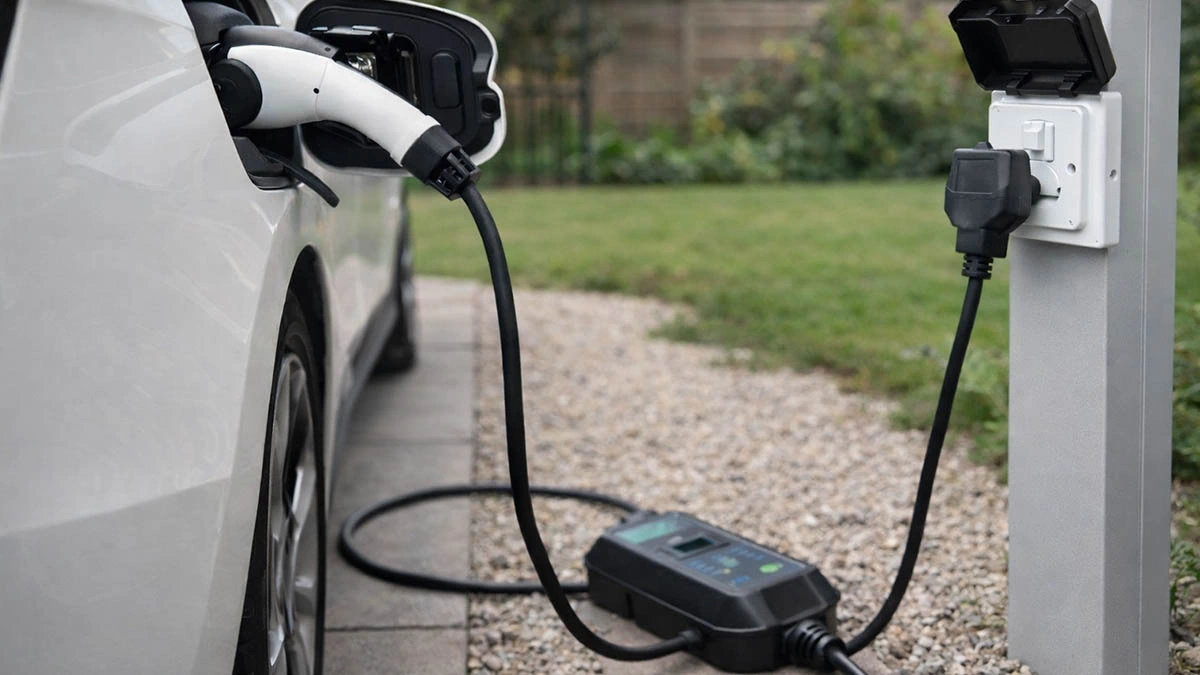
    UK 3-pin sockets are everywhere. That is why they become the default option in rentals, older homes, and short-term parking situations. A portable EV charger can work on a domestic socket, especially when you only need a modest top-up.   In the UK, this is often called granny charging on a 13A socket. It can be practical, but it is not built for set-and-forget charging every night. Long sessions put continuous stress on the plug and socket contacts. Heat usually starts at the wall connection, not at the car.       Occasional 3-pin charging Treat 3-pin charging as a backup. It is useful when you have no wallbox and no better outlet. It is also a practical bridge while you wait for a dedicated installation.   If you rely on it frequently, small issues show up fast. A socket that feels fine for a kettle can behave very differently under hours of steady load.     What to expect for speed A UK 3-pin supply is typically 230V. Most portable chargers let you choose current. Conservative settings are usually kinder to household sockets during long sessions.   As a rough guide, 10A is about 2.3 kW. Lower settings are slower but often more stable. Higher settings can work in the right conditions, but they demand better socket contact and better installation quality. In many real-world cases, the limit is the plug and socket connection, not the car.   That speed can still be useful. It often adds a modest amount of range per hour, but results vary by vehicle, temperature, and battery state. This is why 3-pin charging works for topping up, yet feels limiting if you need large daily mileage.     Where the heat starts The weak point is the plug and socket contact area. EV charging is steady, and the contact area is small. If contact pressure is weak, resistance rises and heat builds.   Once the plug area warms up, you may see practical symptoms. Charging can slow down, pause, and restart. Some homes see trips when other loads switch on. If the pattern changes as the home load changes, suspect the connection and the circuit before blaming the car.     Check the socket first Start with what you can see and feel. The socket faceplate should be solid and flat, not loose or rocking. The plug should insert fully and feel firm. If it sags or wobbles, do not treat it as good enough.   Look for signs of past stress. Discoloration, cracks, or a slightly melted look are hard warnings. Any hot plastic smell is also a hard stop. Moisture matters too. If the connection is in a damp garage or outdoors, avoid long sessions unless you can keep the plug area dry and protected.     Current settings that stay safe Start conservative. Then let the first session decide whether you should stay there. There is no perfect number that fits every home, because socket condition and wiring quality vary widely.   A practical approach is simple. If your charger allows it, many drivers start around 8–10A for a first test. Only consider increasing if the plug fit is tight, the socket stays only slightly warm, and the session remains stable when other household loads switch on. If you see heat rise early, pauses, restarts, or trips, go lower or stop and fix the connection. Reducing current can help in the short term, but it is not a reliable long-term fix for a loose contact.   It is also worth being strict about when not to increase. Do not increase if the plug feels even slightly loose, if you need an extension lead, if the socket is in a damp area, or if the socket looks aged, cracked, or heat-marked.     The first 20 minutes Treat the first charge like a test run. Set a conservative current. Make sure the cable does not pull sideways on the plug. Keep the control box on a dry, ventilated surface and do not cover it.   Let it run for 15–20 minutes. Then check the plug and socket area. A slight warmth can be normal. Fast-rising heat is not. A practical rule is this: if you cannot keep your hand comfortably on the plug body for a few seconds, stop and address the connection.   If everything stays stable, you can continue. For an overnight session, do one more check later in the charge, especially in warm rooms or older properties.     When to stop Most problems show up early. If it warms up fast in the first 20 minutes, it rarely improves later. Stop if the plug feels loose, if the socket faceplate heats quickly, or if you notice a hot plastic smell.   Stop as well if charging pauses and restarts repeatedly, or if the breaker trips when other household loads switch on. Lowering current can reduce stress, but it is not a fix for a loose contact. If the connection is unstable, repair the socket or switch to a better supply option.     Extensions and multi-sockets Extensions, travel adapters, and multi-sockets add contact points. Each contact point is another place for resistance and heat. Long leads can also increase voltage drop, which can make charging less stable.   A direct connection to a solid wall socket is usually safer than building a chain. Avoid daisy chains and avoid multi-outlet strips. Do not run a coiled extension under load, because coils trap heat.   If an extension is unavoidable, keep it simple and properly rated. Then apply the same first-20-minute check at every connection point, not only at the wall.     Shared loads at home Many UK homes use ring circuits for socket outlets. That means other sockets on the same circuit may share the same protection path. When other loads turn on, voltage can dip and the circuit can run closer to its limit.   You can often spot this in real use. Charging may look stable at first, then become unstable when high-load appliances such as a kettle or space heater switch on. If the pattern follows home load changes, reduce current, move to a socket with fewer shared loads, or stop and plan a more suitable circuit.     EV-marked sockets in the UK Some sockets are designed and tested with EV charging in mind. You may see EV marking on certain outlets or products marketed as EV-suitable. This usually points to better performance under repeated load cycles.   In practice, the “EV” wording may appear on the product packaging, datasheet, or the back of the socket rather than on the front. It still does not make a poor setup safe. Wiring quality, tight contact, and conservative current settings still matter. If you are not sure what you have, an electrician can confirm the circuit and the socket type quickly.     When 3-pin is no longer enough If you use 3-pin charging rarely, careful setup and monitoring can keep it workable. If you use it frequently, or if you keep seeing heat, restarts, or trips, the setup is telling you it is at its limit.   Overnight charging also deserves a clearer line. It tends to be lower-risk when the plug fit is tight, the socket stays only slightly warm, the connection is dry and protected, you are not using extensions or multi-sockets, and you can do at least one mid-session check. If you cannot meet those conditions, avoid overnight sessions on 3-pin.   A dedicated circuit and a proper charging solution are the usual step up. The benefit is stable contact and predictable protection, not only faster charging.     Safer path by use case Use the table to match your use case to a safer approach. Use case Main risk First check Safer approach Occasional 1–2 hour top-up Loose contact, partial insertion Plug fit and socket stability Conservative current, quick recheck Overnight 6–10 hours Heat buildup, shared-load changes Socket condition, home load patterns Lower current, mid-session check Frequent long sessions Wear, recurring heat, nuisance stops Wiring quality, socket suitability Upgrade to a dedicated solution     FAQ Is it safe to charge an EV from a UK 3-pin socket overnight It can be done, but overnight sessions need extra caution. Heat has time to build if the socket is worn or the plug fit is not tight. If the plug or faceplate warms up quickly in the first 15–20 minutes, do not continue overnight.   What current should I use for 3-pin portable EV charging in the UK Start conservative. If your charger allows it, many drivers begin around 8–10A for a first test. Only increase if the plug fit is tight, the socket stays only slightly warm, and the session stays stable when other household loads change.   How warm is too warm at the plug Slight warmth can be normal. Fast-rising heat is not. If the plug body feels hot to the touch, or you cannot keep your hand comfortably on it for a few seconds, stop and fix the connection.   My charger stops and restarts, but the breaker did not trip This often points to charger protection rather than a hard trip. Common triggers are an unstable contact point, heat at the plug, or voltage dips when other loads switch on. Treat it as a warning and re-check plug fit and temperature at the socket.   Can I use an extension lead with a 3-pin EV charger It adds risk because it adds contact points. Loose fits and extra resistance can create heat. If you cannot avoid it, use properly rated equipment, avoid daisy chains, and apply the first-20-minute check at every connection.   Is it safe to charge from a garage socket or an outdoor socket It depends on moisture protection and socket condition. If the plug area can get wet or the socket is not well protected, avoid long sessions. Even in a garage, treat damp conditions as a reason to stay conservative and re-check temperature during the first session.   Does a UK 3-pin plug fuse make charging safer The fuse helps protect the flexible cord from overload. It does not guarantee the socket contact will stay cool under long continuous load. You still need a tight fit, a sensible current setting, and temperature checks during the first session.     Related guides Start with portable EV charger power plug guide to compare plug types by region and site conditions. For industrial outlets, CEE/IEC 60309 blue 16A vs 32A and CEE/IEC 60309 red 3-phase 16A vs 32A help you pick safer options for longer sessions. For North America outlet checks, use NEMA 6-50 vs 14-50 and NEMA 14-50 for portable EV charging.
    Read More
  • Charging on Schuko (Type E/F): Safe Use for Portable EV Chargers Charging on Schuko (Type E/F): Safe Use for Portable EV Chargers
    Jan 20, 2026
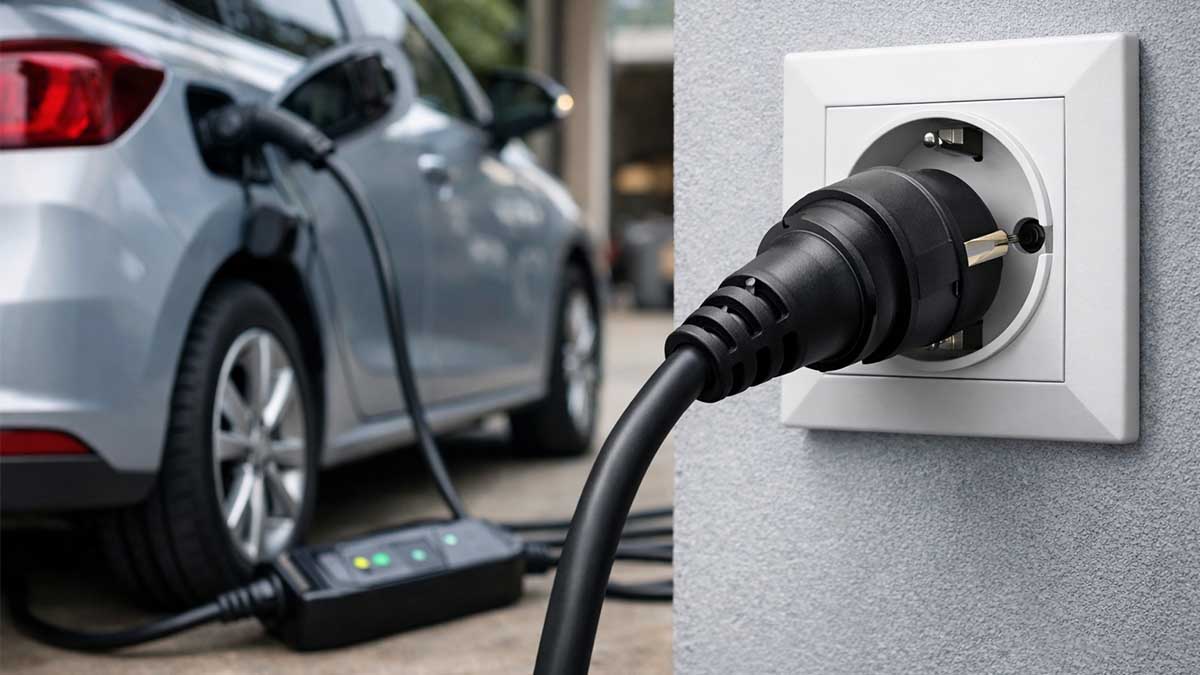
    Schuko sockets (Type E/F) are common across Europe. That is why they show up in real charging situations like rentals, trips, and temporary parking. A portable EV charger can work on a Schuko outlet for short, occasional sessions, especially when you just need a practical top-up.   Long or frequent sessions need more care. Heat builds over time, and weak contact becomes obvious once the socket warms up. In most cases, the first risk point is the wall connection, not the vehicle.     Occasional use, not a daily setup A household socket can handle many everyday loads, but EV charging is a steady load that can run for hours without a break. If you use Schuko once in a while, good habits usually keep it stable. If it becomes a daily routine, the socket and its wiring take repeated heat cycles, and small weaknesses show up more often.   When charging starts to feel inconsistent, the reason is often simple. The socket is worn, the contact is loose, or the circuit is shared with other loads.     Socket type, real-world limits Type F is widely called Schuko, and Type E is common in parts of Europe. Many homes have sockets that accept both styles, so the plug may fit with no drama. A normal fit still does not prove the socket is healthy, because contact pressure is inside the socket body.   Schuko is often labeled 16A, but continuous charging is where quality differences show up. Contact wear, installation quality, and the condition of the terminals matter more than the printed number.     Charging time changes everything A one-hour top-up usually stays within a comfortable margin. An overnight session gives heat time to build, especially if the contact is not tight. If you plan to charge for many hours, treat the setup like unknown equipment and test it under load before you commit to a full session.   It also helps to set realistic expectations. On a typical 230V supply, 6A is roughly 1.4 kW, and 8-10A is roughly 1.8-2.3 kW.   Many cars will add a modest amount of range per hour at that level, often in a broad ballpark like 6-12 km per hour, but it varies a lot by vehicle and conditions. This is why Schuko can be useful for topping up, yet frustrating as a primary routine.     Socket condition comes first Start with what you can check without tools. The faceplate should feel solid, not loose or floating. The plug should insert fully and feel tight, with no wobble. If the plug sags or feels soft in the socket, that is already a warning before you even start charging.   Look for signs of past stress. Discoloration, cracking, or a slightly melted look suggests the socket has run hot before. Any hot plastic smell is a hard stop signal.   Moisture changes the rules. Damp garages, outdoor sockets, and sockets near sinks add risk. If the connection cannot stay dry and protected, skip the long session.     Heat starts at the contact point Most Schuko charging problems begin at the socket. The current is steady, and the contact area is relatively small. If contact pressure is weak, resistance rises and heat follows.   Once heat appears, you may see protective behavior. This can include current reduction, pauses, retries, or breaker trips when other loads switch on. It can look random from the outside, but the trigger is often the same: a weak contact point under a long steady load.     First-session routine Treat the first charge as a controlled trial. Start with a conservative current. Keep the cable relaxed so it does not pull sideways on the plug. Place the control box where it stays dry, ventilated, and not buried under items on the floor.   Let it run for 15-20 minutes, then check the plug and socket area. A slight warmth can be normal. Rapid heat rise is the problem.   A practical rule is this: if you cannot keep your hand comfortably on the plug body for a few seconds, stop and address the connection.   If everything stays stable, continue. For an overnight session, do one more check later in the charge, especially when the socket is older or the environment is warm.   A routine that works in real homes looks like this: start conservative, run 15-20 minutes, check heat and stability, then continue only if it stays consistent.     Stop signs that matter These signs usually show up early. If the setup heats up in the first 20 minutes, it rarely improves later. Stop if the plug feels loose or starts to sag, if the faceplate warms up quickly, if the plug body becomes hot to the touch, or if you notice a hot plastic odor.   Stop as well if charging stops repeatedly without a stable pattern, or if the breaker trips when other household loads turn on.   Lowering current can reduce stress, but it is not a fix for a loose contact. If the connection point is unstable, repair the socket or switch to a more suitable supply option.     Extra connections add risk Adapters and extension cords add contact points. Each contact point is a place where a loose fit can create heat. Long cords can also introduce voltage drop, which may make charging less stable.   A direct plug into a solid wall socket is usually safer than building a chain. Avoid daisy chains and multi-outlet strips. Avoid running a coiled cable under load, because coils trap heat.   If an extension is unavoidable, treat it as part of the system. It needs a real current rating, solid plugs, and a tight fit at both ends. Then apply the same first-session routine and stop signs without exception.     Pick the safer path Use the table to match your use case to a safer habit. Use case Main risk First check Safer approach Occasional 1-2 hour top-up Loose contact, partial insertion Plug fit and socket stability Conservative current, quick recheck Overnight 6-10 hours Heat buildup, shared-load trips Socket condition, signs of shared circuit Lower current, mid-session check Frequent long sessions Accelerated wear, recurring heat Wiring quality, professional inspection Upgrade to a dedicated solution     A clear upgrade point If Schuko charging is rare, careful setup and monitoring usually keeps it under control. If it becomes frequent, wear and heat cycles add up. Even a socket that looks fine can drift into loose contact over time, especially in older properties or heavily used outlets.   A dedicated circuit and a proper charging solution are the usual step up. The benefit is not only speed. The benefit is stable contact and a more predictable supply path.     FAQ Is it safe to charge an EV from a Schuko socket overnight? It can be done, but overnight sessions need extra caution. Heat has time to build if the socket is worn or the plug fit is not tight. If the plug or faceplate warms up quickly in the first 15-20 minutes, do not continue overnight.   What current should I use on Schuko for portable EV charging? Start conservative. Then let the first-session check decide the next step. Socket condition, wiring quality, and shared loads matter more than a single universal number.   How warm is too warm at the plug? Slight warmth can be normal. Fast-rising heat is not. If the plug body feels hot to the touch, or you cannot keep your hand comfortably on it for a few seconds, stop and fix the connection.   My charger stops and restarts, but the breaker did not trip. Why? This often points to charger protection rather than a hard trip. Common triggers are an unstable contact point, heat at the plug, or voltage dips under load. Treat it as a warning and re-check plug fit and temperature at the socket.   Can I use an extension cord or a travel adapter with Schuko? It adds risk because it adds contact points. Loose fits and extra resistance can create heat. If you cannot avoid it, use properly rated equipment, avoid daisy chains, and apply the same 15-20 minute check at every connection.   Type E vs Type F, does it matter for charging? For charging safety, socket condition matters more than the letter. Many sockets accept both styles, but contact pressure varies widely. If the plug fit feels loose, treat it as unsafe even if the plug type is correct.     Related guides If you need to choose the right plug type by region and site conditions, portable EV charger power plug guide is the best starting point. If you often charge at workplaces, marinas, campgrounds, or industrial sites, CEE/IEC 60309 blue 16A vs 32A for portable EV charging is the better match for single-phase, and CEE/IEC 60309 red 3-phase 16A vs 32A for portable EV charging fits three-phase setups. For North America, NEMA 6-50 vs 14-50 outlet guide for portable EV charging helps you choose the outlet, and NEMA 14-50 for portable EV charging covers first-session checks in more detail.
    Read More
  • CEE (IEC 60309) Red 3-Phase 16A vs 32A for Portable EV Charging CEE (IEC 60309) Red 3-Phase 16A vs 32A for Portable EV Charging
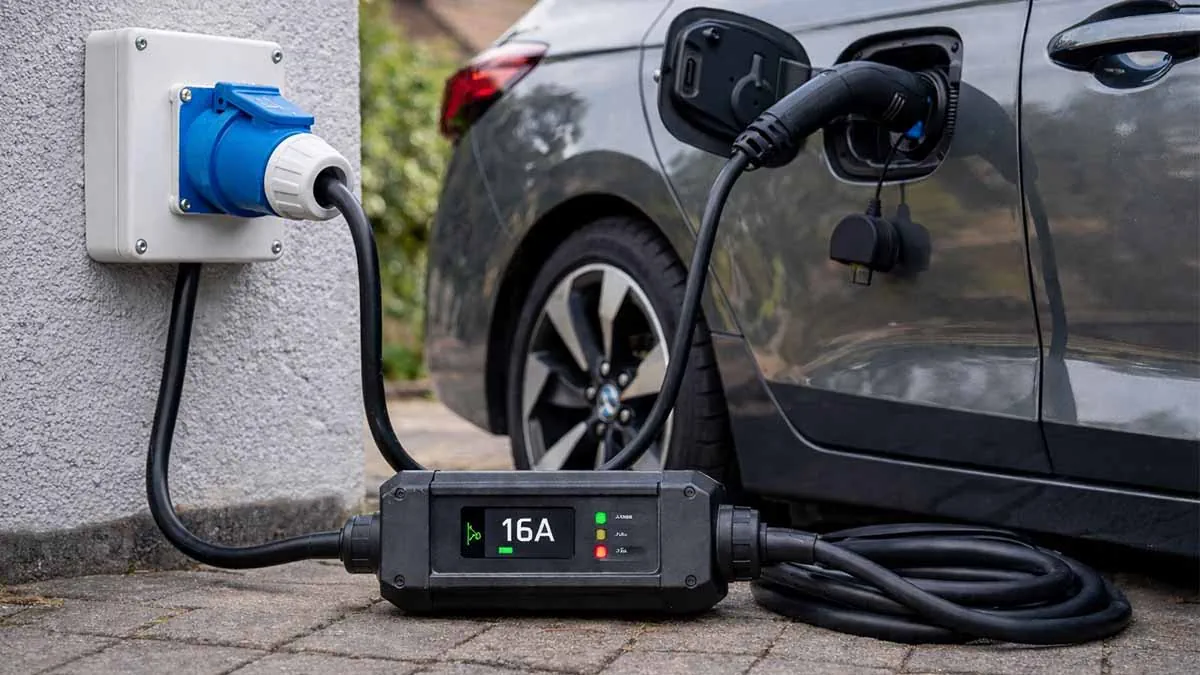
    Jan 14, 2026
    A red IEC 60309 socket often means you have access to three-phase AC. That’s useful, but it doesn’t guarantee a safe all-night EV session. The result depends on three things: the socket contact condition, the circuit rating (16A or 32A), and the current you set on the first run.   If you can’t confirm the breaker rating, treat it as 16A and start low. You can always step up after the plug stays cool.     What to identify before you plug in Start with the basics you can verify on-site.   Pin count Red IEC 60309 commonly appears as: · 5-pin (3P+N+PE): three phases, neutral, earth · 4-pin (3P+PE): three phases, earth, no neutral   Many portable EV charging setups are built around 5-pin supplies. If your adapter or portable charger expects neutral and the socket doesn’t provide it, stop. Do not force a close-enough match.   Circuit rating Look for a label on the socket cover, the distribution board, or the breaker schedule. You want a clear 16A or 32A. Color alone is not enough.   Socket fit and wear This matters more than people think. If the plug can wiggle in the socket, contact pressure is weak. Weak contact pressure turns into heat during a long session.     How to tell 16A from 32A when labels are missing If the socket cover is unmarked or the label is unreadable, use these checks. Stop if anything feels wrong or doesn’t match your equipment. · Look for molded markings on the socket or plug body. Many IEC 60309 devices show the current rating (16A or 32A), voltage (often 400V), and a clock position marking such as 6h. · Check size and fit. A 32A plug is physically larger and typically will not insert into a 16A socket. If it starts to go in and then binds, stop. Forcing it can damage the contacts and makes overheating more likely. · Confirm the pin pattern. Do not mix 4-pin and 5-pin parts. If your adapter or EVSE is built for 5-pin and you only have 4-pin available, treat that as a no-go. · If you still can’t verify the rating, start low (as if it is 16A) and arrange a qualified electrician to confirm the circuit before long sessions.   About clock position: IEC 60309 uses a clock system to show the earth pin position. For many red 3-phase supplies, 6h is common, but other voltages and frequencies can use different positions. Treat the marking on the actual socket/plug as the only reliable reference.     16A vs 32A: what changes in real use A 32A circuit gives you more headroom. That headroom is not only about higher maximum power. It also means you can run a moderate current with less stress on the contacts.   Use this as a practical reference. The headline power is supply potential. Real charging power can be lower because the car’s onboard charger (OBC) may cap the intake. These figures assume a typical 400V three-phase supply and an EVSE that can use all three phases.     16A vs 32A quick reference Supply potential is not the same as real charging power. Your car’s onboard charger can cap AC intake. Item IEC 60309 Red 16A (3-phase) IEC 60309 Red 32A (3-phase) Typical supply potential (400V 3-phase) ~11 kW ~22 kW Common real-world limit Socket condition, shared loads, car OBC Car OBC, site load policies Good first-run setting 8A, then 10-13A if cool 16A, then 20-24A if cool What too much looks like Plug face warms quickly; loose fit; smell Still possible, usually shows later     Two quick reality checks: · If your car is capped at 11 kW, a 32A socket won’t change that. · If the socket is old or loose, even 16A can be too aggressive for a long session.     A first-charge method that avoids the usual mistakes This is the simplest approach that works across mixed sites.   Set a conservative current For a 16A socket: start at 8A. For a 32A socket: start at 16A. If you don’t know the circuit rating, start like it is 16A.   Run for 10-15 minutes Then stop and check the plug face and the first 30 cm of cable.   Check heat in a useful way If one spot is noticeably hotter than the rest, assume contact resistance and lower current. If the plug face is getting hot fast, do not test through it. Stop and step down. If you smell hot plastic, stop.   Step up in small moves If everything stays only mildly warm, increase one step and recheck after another 10-15 minutes. For long sessions, do one more check after about an hour.     Minimum safety prerequisites Use only properly installed, grounded outlets and distribution equipment. If you cannot confirm the installation quality or the upstream protection, treat that as a reason to pause and have an electrician verify the circuit. · Avoid homemade adapters or stacked adapters. Use only correctly rated components for the exact plug type. · If the circuit has a protective device that trips repeatedly, do not keep resetting it. Reduce current or stop and troubleshoot the cause. · Any smell, discoloration, or rapid heating at the plug face is a stop signal, not a tuning opportunity.     The 60-second pre-check list These checks take less time than a breaker reset. · Look for a clear 16A/32A marking on the socket, panel, or schedule · Confirm pin count matches your plug or adapter (4-pin vs 5-pin) · Reject damaged sockets: cracks, discoloration, melted edges, burnt pin holes · Reject loose fit: noticeable wobble after insertion · Fully uncoil the cable (coiled cable runs hotter) · Ask about shared loads on the same feed (compressors, welders, heaters, other EVs)   If any item looks questionable and you still need to charge, drop current and shorten the session.     Common problems and what to do first Plug gets hot Most often this is contact resistance from wear, dirt, or poor spring tension inside the socket. Reduce current immediately. If it stays hot even at low current, do not use that socket for EV charging.   Breaker trips This is commonly a shared-load issue or a circuit already near its limit. Reduce current. If it trips repeatedly, assume the circuit is not suitable for sustained EV charging.   Charging power is lower than expected Check the car’s onboard charger capability. Many cars will not exceed 11 kW on AC, even with a 32A three-phase supply. Also check whether your setup is actually running three-phase. Some configurations fall back to single-phase due to adapter constraints.   Charging stops and restarts Look for unstable site power or voltage drop, often from long cable runs or marginal connections. Reduce current first. If stability doesn’t improve, stop.     Choosing a portable setup that behaves well on industrial power A field setup works best when you can adjust current in small steps, read status quickly, and keep strain off the plug during long sessions. For mixed sites where red sockets are common, Portable EV Charger configurations that support 3-phase IEC 60309 inputs and smooth current adjustment help reduce heat issues and nuisance trips when the supply is correct.     When 16A is fine and when 32A is worth it 16A is usually fine when you only need a daytime top-up and the socket is in good condition. It is less forgiving when contacts are worn or the session is long.   32A is worth it when you want headroom for longer sessions, or you want to run a moderate current with less stress on the connection. Many users find that a 32A socket running 16-20A feels more stable than a 16A socket running near its ceiling.     A simple rule that prevents most failures If you can’t verify the circuit rating and you can’t trust the socket fit, don’t run high current for long hours. Start low, watch heat, and treat warming up over time as a warning, not a challenge.   If you’re building a consistent site kit, pay attention to contact fit, strain relief, and heat around the plug end. EV charging cable and plugs built for repeated insertions and stable contact pressure make long sessions more predictable.     Related reading · Portable EV Charger Power Plug Guide: NEMA vs IEC 60309 vs Wall Sockets · CEE (IEC 60309) Blue 16A vs 32A for Portable EV Charging · NEMA 14-50 for Portable EV Charging: What to Check First · NEMA 6-50 vs 14-50 Outlet Guide for Portable EV Charging       FAQ Is a red IEC 60309 always three-phase? Usually, yes. Still check the panel label or breaker schedule because color alone can’t confirm wiring quality or rating.   Will a 32A plug fit into a 16A socket? Typically, no. The 32A plug is larger. If it doesn’t slide in smoothly, stop and do not force it.   Can I get 22 kW from a 32A red socket? The supply may allow it, but the car’s onboard charger often limits AC intake. Many cars cap at 11 kW.   What if the socket is 4-pin (no neutral)? If your EVSE or adapter needs neutral, don’t use that socket. Use a correct 5-pin supply instead of improvising.   What current should I start with? If you know it’s 16A, start at 8A. If you know it’s 32A, start at 16A. If you don’t know, start like it is 16A.   Do I need a special cable length for three-phase charging? Long runs increase voltage drop and heat risk. Keep the cable fully uncoiled and use the shortest practical length.
    Read More
  • CEE (IEC 60309) Blue 16A vs 32A for Portable EV Charging CEE (IEC 60309) Blue 16A vs 32A for Portable EV Charging
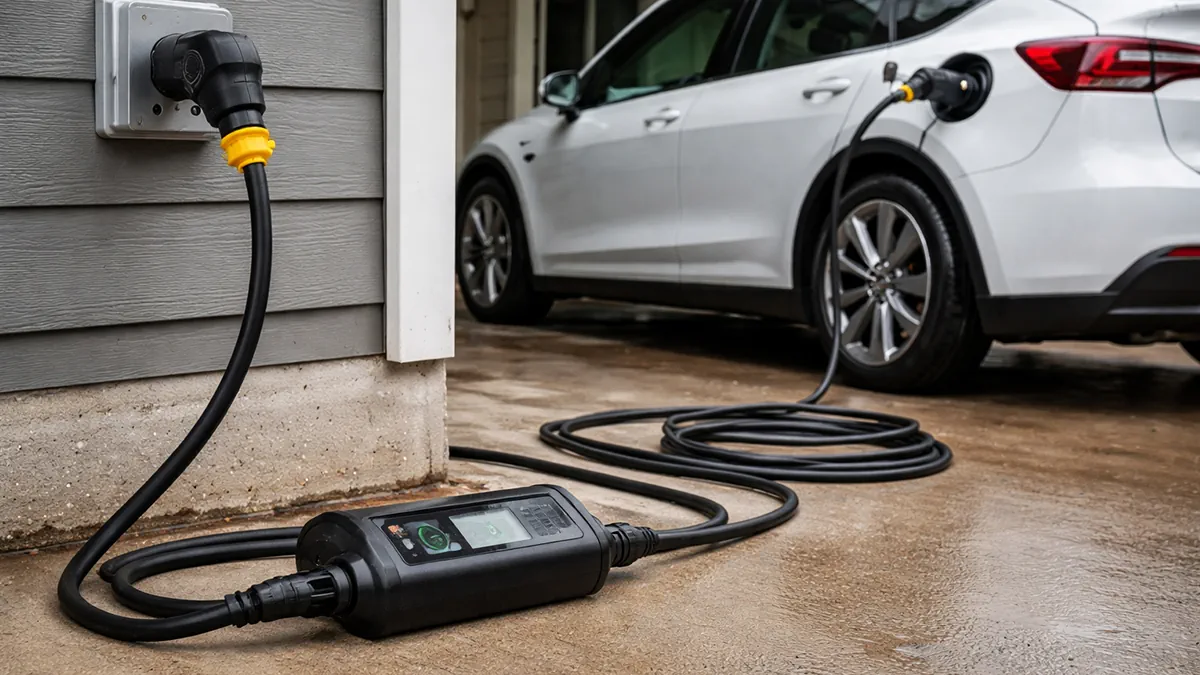
    Jan 12, 2026
    If you’re unsure whether a CEE blue socket is 16A or 32A, don’t guess. The rating changes what current you can safely set and whether charging stays stable over time. Here’s a simple way to identify it, set current conservatively for the first session, and avoid the most common failure modes.     Blue CEE sockets in charging sites In everyday use, people often call these blue industrial sockets CEE blue. The technical standard name is IEC 60309. Either way, what matters on site is the current rating on the socket and whether the connection stays solid under a long, steady load.   CEE blue shows up where power was built for tools, temporary events, or fleet operations. You’ll see it in workshops, loading areas, maintenance bays, and outdoor service points. The socket may look “industrial,” but the circuit behind it may still be shared, repurposed, or exposed to weather and wear.   This article stays focused on one task: tell 16A from 32A, then translate that into a sensible current setting and a stable first-use routine.       How to tell 16A from 32A Start by looking for the answer that is already written down. The socket face, a nearby label, or the breaker panel description often states the current rating. If you can confirm 16A or 32A on site, that beats any photo-based guessing.   If the label is missing, use the practical cues that matter most in the real world.   A 32A CEE blue setup is usually visibly larger than a 16A one. Also, a 32A plug should not seat cleanly into a 16A socket. If the plug feels forced, won’t insert fully, or wobbles after insertion, treat the rating as uncertain and don’t plan a long charging session there.   One more sanity check: this page is about blue single-phase sockets. If what you’re looking at is red, has a different pin layout, or clearly looks like a three-phase industrial outlet, stop and confirm the outlet type before you set current.     What 16A vs 32A changes for charging The difference is not about which socket is “better.” It’s about what current you can safely set and how sensitive the setup is to small connection problems.   A 16A outlet often maps to a conservative charging routine. It’s a common choice when you’re not sure about the circuit, you’re outdoors, or you’re treating the location as a temporary top-up point.   A 32A outlet can support a higher current setting, which usually means higher charging power. But higher current also makes weak contact points show up faster. A slightly loose receptacle, a plug that doesn’t seat firmly, or a cable that pulls sideways can turn into heat, throttling, or a shutdown during a long session.   As a rough reference, single-phase 16A is around 3.7 kW and 32A around 7.4 kW, depending on voltage and your current setting.   The rule that keeps you out of trouble is simple: don’t set current based on what you wish you could draw. Set it based on the outlet rating and what the site can repeatedly deliver.     First use: the 15–20 minute check On an unfamiliar outlet, don’t start at the maximum you hope to use long-term. Start conservatively, then come back after 15–20 minutes and check again. Most real problems don’t show up in the first minute. They show up after the contact point has had time to warm.   If the plug end feels warm, if the plug fit feels loose, or if the socket faceplate moves when you touch the plug, treat that as a fix-first signal. Don’t push through by turning the current down and hoping the situation disappears.   For long sessions, EV charging is typically treated as a continuous load. That’s another reason the “it worked once” test is not enough. You want repeatability, not a lucky first run.     What to confirm before a long session You don’t need a full electrical survey. You just need enough information to avoid the two most common failure modes: shared circuits and weak contact points. · A clear photo of the socket face and any rating label you can find · Whether the circuit is dedicated or shared with other loads · Indoor vs outdoor exposure and how long you expect to charge · Your charger’s current setting options (what you can actually set, not what you hope to pull)   If any of these are unknown, your default should be more conservative.     Why trips, heat, or throttling happens When a session trips mid-charge, shared load is usually the first thing to suspect. The circuit may also feed lights, heaters, compressors, or tools. Charging can look stable at the beginning, then fail when another load turns on. That pattern is common at worksites and depots, even when the socket itself looks “industrial.”   Heat at the plug end is often about contact quality. A worn socket, weak contact tension, or a plug that doesn’t seat firmly increases contact resistance. Resistance becomes heat, and heat triggers protective behavior. You may see the charger or vehicle reduce current, or the system may stop charging entirely.   Throttling that appears after a period of normal charging is especially consistent with contact-point heating. It’s also why the 15–20 minute check is so effective: it catches the early warning signs before you commit to hours of charging.     A quick comparison table Use this table to decide what to check first on site. It is not a claim that one outlet type is always “better.” Item CEE blue 16A (typical reality) CEE blue 32A (typical reality) What to look for first Rating label, plug fit, shared loads Rating label, plug fit, contact quality Typical site Temporary site power, event power, mixed-use bays Dedicated depot points, workshop bays, heavier-duty circuits A sensible first-use setting Conservative, confirm stability first Conservative first session, then step up if stable Most common problem Shared circuit trips Contact heating, throttling after warm-up     Stop signs: when not to push through If you see any of the signals below, treat it as a fix-first situation before you chase higher current.   If you can’t confirm the installation condition, ask a licensed electrician to verify the circuit and receptacle before relying on it for long sessions. · Plug won’t seat fully or wobbles after insertion · Faceplate moves when the cable shifts · Plug end is noticeably warm during the first 15–20 minutes · Random trips mid-session that correlate with other site activity · Charging starts strong, then steps down or cuts out without a clear reason     FAQ Is CEE blue the same thing as IEC 60309 blue? In everyday use, “CEE blue” is a common name for the blue IEC 60309 single-phase industrial plug and socket family. On site, the rating label and a solid plug fit matter more than the label you use. For charging, treat the rating label as the source of truth.   Can I use a 32A portable charger on a 16A CEE blue socket? Only if you can limit current to the outlet rating and the connection is solid. If the plug fit is imperfect, the socket is worn, or the circuit is shared and unpredictable, treat it as a temporary top-up point at a conservative setting, not a long overnight session.   Why does it look fine at first and fail later? Because heat and shared loads take time to show up. A weak contact point warms gradually, and a shared circuit may only trip once other equipment turns on.     A more stable routine across sites If you charge across multiple locations, aim for fewer contact points and the same first-use routine every time. That combination prevents most “it worked yesterday” surprises. Workersbee Portable EV Charger setups can be configured with interchangeable wall-side plugs, which helps keep the hardware consistent while you adapt to different site sockets.
    Read More
  • NEMA 6-50 vs 14-50 Outlet Guide for Portable EV Charging NEMA 6-50 vs 14-50 Outlet Guide for Portable EV Charging
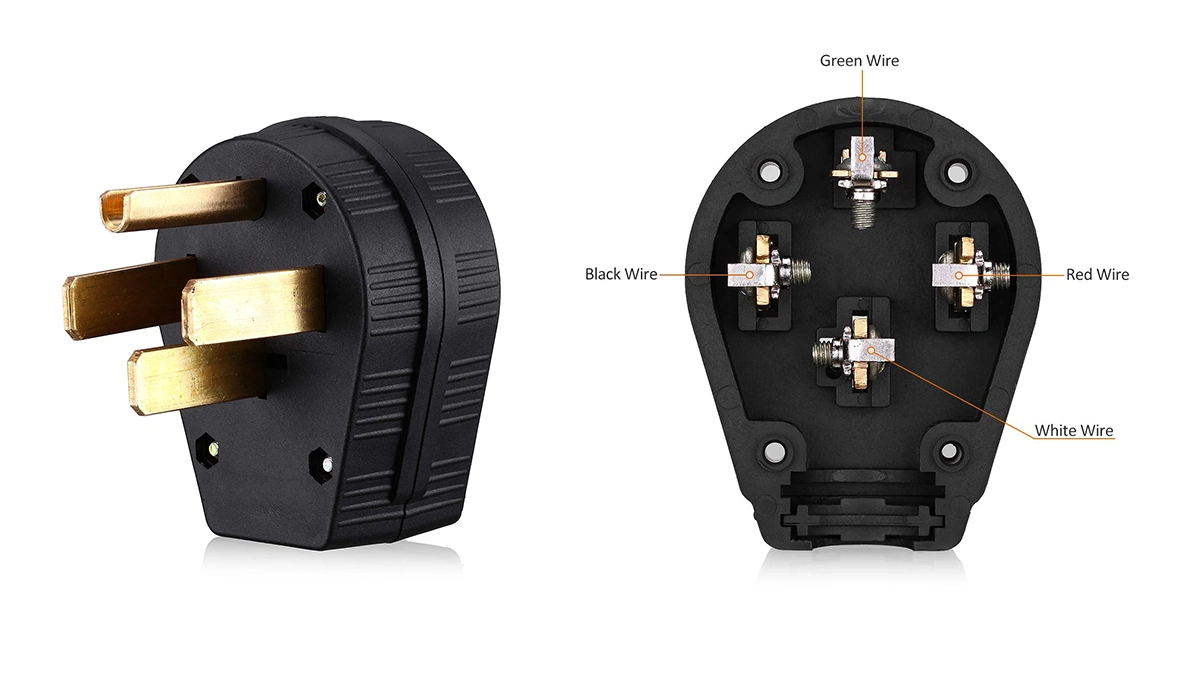
    Jan 08, 2026
    A lot of people assume this is simple: a 240V outlet is a 240V outlet. Then reality happens. One site charges smoothly all night, another trips at random, another makes the plug end warm, and another starts strong and then throttles.   In most cases, the outlet label is not the real culprit. The real culprit is what the circuit was built for and how solid the plug connection is. NEMA 6-50 and 14-50 mainly help you predict those two things.   A quick choice in 30 seconds If you want a repeatable overnight routine, 14-50 is often the cleaner baseline because it is more commonly installed for EV or RV-style use. If you are adapting to an existing workshop outlet, 6-50 can be reliable when the circuit is not shared and the plug fit is solid. Charging speed is set by your circuit capacity and current setting, not by whether the outlet is 6-50 or 14-50.       Why charging feels inconsistent Portable EV charging is steady and long. Many high-power outlets in the real world are used in short bursts, get repurposed over time, or share load with other equipment. That is why things look fine at minute one but fail later.   Most of the frustration comes from the connection point and circuit behavior, not from the plug shape itself. A loose contact warms up over time. A shared circuit trips when other loads appear. Protective behavior in the charger or vehicle reduces current when heat shows up where it should not.   Trips mid-session usually points to shared load, a marginal circuit, or settings that are too aggressive for long sessions. A warm plug end usually points to weak contact tension, worn receptacle parts, or a plug that does not seat firmly. Throttling or power drop usually points to heat building at the contact point, causing the system to protect itself.   6-50 vs 14-50 in practice What matters on site NEMA 6-50 tends to imply NEMA 14-50 tends to imply Typical environment Workshop or equipment circuits Garage EV-ready or RV-style installs Circuit behavior More likely to be shared or repurposed More likely to be dedicated, not guaranteed Common failure pattern Random trips when other loads appear Plug fit and receptacle quality issues during long sessions Best fit Adapting to existing shop infrastructure Building a repeatable overnight routine Neither outlet is better by default. A great 6-50 on a stable circuit beats a loose 14-50 every time.     Three situations that explain most outcomes Workshop outlet, often 6-50 The biggest risk is not the outlet type. It is the circuit getting loaded by other equipment. If the outlet shares with welders, compressors, heaters, or other tools, you can see clean starts followed by random trips.   EV-ready garage install, often 14-50 This is usually more repeatable, but long sessions punish weak receptacles. If the plug has any wobble, resistance increases, heat builds, and performance drops or stops.   Travel or RV-style outlet, often 14-50 Variability is the story here. Outdoor exposure, frequent plug cycles, and unknown installation quality make maximum settings a poor default. Treat the first session as a test and earn your way up.     Outlet checks before you trust it You do not need a spec sheet to catch most problems. You need quick checks focused on the connection point. · The plug seats fully and does not wobble · The faceplate does not move when you touch the plug · No discoloration, cracking, or heat marks on the receptacle · The cable is supported, not pulling sideways on the plug · If it is an older outlet with lots of insertions, assume contact tension may be weak until proven otherwise   If you cannot confirm wiring or outlet condition, ask a licensed electrician to verify the installation before relying on it for long sessions.     The first-session rule that prevents most headaches Start conservatively on a new outlet. Recheck after 15 to 20 minutes. That is when a weak connection usually starts to show itself.   If the plug end feels warm or the fit feels loose, do not push through. Fix the connection point first. Replacing a worn receptacle is often a better solution than permanently dialing down current and hoping for the best.   For long sessions, EV charging is typically treated as a continuous load. Your stable setting is often below the breaker number people quote casually. Always follow local electrical code and the charger manufacturer settings.     Choosing the right path If you are planning a new, repeatable setup for overnight charging, 14-50 is often the cleaner direction because it is commonly installed with EV or RV use in mind.   If you are adapting to an existing workshop outlet, 6-50 can be perfectly reliable when the circuit is not shared and the receptacle is in good condition. When it becomes sometimes it works and sometimes it trips, assume shared load or weak contact until proven otherwise.   For a deeper first-session checklist focused on 14-50 outlet condition and plug fit, see NEMA 14-50 for Portable EV Charging: What to Check First.     Plug strategy for mixed sites If you charge in one predictable place, standardize around the outlet type that makes that site stable. Consistency beats a bag of adapters.   If your charging switches between garages and workshops, the goal changes. You want the routine to stay the same even when the wall outlet changes. A simple plug kit that covers the places you actually use is usually more reliable than stacking adapters and extra contact points.     FAQ Is 6-50 less safe than 14-50? Not inherently. Safety depends on outlet condition, plug fit, and whether the circuit is shared.   Which one is better for overnight charging? The one installed as a stable, dedicated outlet with a firm connection. In many garages that ends up being 14-50, but installation quality matters more than the label.   If I only have a 6-50 outlet today, what is the safest approach? Start conservatively, confirm the plug seats firmly, and recheck after 15 to 20 minutes. If warmth repeats or the fit is loose, stop and fix the connection point.     If your sites switch between 6-50 and 14-50, cut down on extra contact points and keep your setup simple. Workersbee Portable EV Charger can be configured with interchangeable wall-side plugs, so you can keep the same routine without stacking adapters.
    Read More
  • NEMA 14-50 for Portable EV Charging: What to Check First NEMA 14-50 for Portable EV Charging: What to Check First
    Jan 06, 2026
    A NEMA 14-50 outlet is one of the most common high-capacity wall outlets used for portable EV charging in North America. It can be a solid setup, but most problems come from the connection point, not the EV or the charger.   If you’re not sure what outlet you have, start with Portable EV Charger Power Plug Guide.     What a NEMA 14-50 outlet is NEMA 14-50 is a 4-prong outlet designed for 240V service. In real homes, it often appears in garages for EV charging, workshops for tools, and sometimes for RV use. Compared with a standard household outlet, it is built for higher power, but it still depends on installation quality and how tight the plug fits.       Where it shows up most · Home garages and driveways (dedicated EV outlet installs) · Workshops (shared utility circuits are common) · RV-style installations (sometimes repurposed for EV charging)   The same outlet label does not guarantee the same real-world stability. The cable route, receptacle quality, and the circuit behind it matter more than the plastic faceplate.     How to identify NEMA 14-50 on site Look for a 4-slot layout. Many receptacles are labeled 14-50. If the outlet is recessed, painted over, cracked, or visibly loose, treat it as a warning sign. A plug that does not seat firmly is a bigger risk than a lower charging speed.     What to confirm before the first charging session This is the short list that prevents most failures. If you’re not sure about the wiring or the outlet condition, ask a licensed electrician to confirm the installation before relying on it for long sessions. What to confirm What you are trying to avoid Practical tip Plug fit (seats fully, no wobble) Heat at the contact point If the plug feels loose, stop and fix the outlet first Breaker rating (if known) Nuisance trips or overload If you cannot verify, start at a lower current setting Dedicated vs shared circuit Hidden load from other appliances Shared circuits create unpredictable trips Outlet condition (no discoloration) High resistance and overheating Any browning or melting is a hard stop Cable routing and strain relief Pulling the plug partially out Keep the cable supported, no side-load on the plug       What charging speed to expect Portable chargers usually let you set or limit current. For long sessions, EV charging is typically treated as a continuous load, so the usable current is usually below the breaker rating. If you are unsure, start lower, confirm the plug stays cool, then move up.   Stability matters more than peak speed for overnight charging.     Common issues and what they usually mean Warm plug end: Warmth at the plug end is a sign of resistance at the contacts. Stop, let it cool, and check fit. If it repeats, the outlet or plug is not making a solid connection.   Random breaker trips: This often points to a shared circuit, a weak receptacle, or a conservative breaker device. Lower current and re-test. If it still trips, the installation needs attention.   Charging starts fine, then slows or stops: Many portable chargers reduce output when they detect heat or unstable input. That is the charger doing its job. Fix the cause instead of forcing higher current.   Frequent reliance on adapters: Adapters add contact points. Contact points are where heat begins. If you keep needing adapters, it is a sign the plug kit does not match the sites you actually use.   A simple setup flow 1. Confirm it is NEMA 14-50 and the plug seats firmly. 2. Verify circuit basics (breaker rating if available, dedicated vs shared). 3. Set a conservative current for the first session. 4. Monitor the plug end for the first 15–20 minutes. 5. If stable, keep that setting as your default for this site.     Plug kit choices that reduce surprises A good kit is not a bag of every plug in the world. It is the smallest set that covers your real charging environments. · Keep one primary NEMA 14-50 plug path for garage/workshop use. · Choose a cable length that reaches without tension. · Avoid stacking adapters. · Treat extension cords as a last resort, not a plan.     For multi-region projects, a charger with interchangeable power plugs can simplify site deployment. Standardize your on-site confirmation process so teams don’t rely on improvised workarounds. A portable charger with interchangeable power plugs helps keep multi-site deployments consistent. It reduces time lost to mismatched outlets and last-minute workarounds.     When a different approach makes more sense If the outlet will be used for frequent long sessions, the best upgrade is usually a more stable, purpose-built installation rather than repeatedly stressing the same receptacle. Even with a portable charger, your goal is repeatability.   For cable protection, strain relief, and site-ready accessories that keep the connection stable, Workersbee EV Cable & Parts can support a cleaner, safer installation.     FAQ Can I use NEMA 14-50 for daily charging? Yes, if the outlet is high quality, the plug seats firmly, and the circuit is suitable for long sessions. Daily use will expose weak receptacles quickly, so monitor early sessions and stop if the plug end warms up or the fit becomes loose.   Why does the plug get warm even at moderate current? Most cases come from contact resistance: a worn or loose receptacle, weak contact pressure, or a plug that doesn’t seat fully. Stop, let it cool, then check for wobble, discoloration, or a soft fit. If warmth repeats, the outlet should be repaired or replaced before continued use.   What current should I start with on a new NEMA 14-50 outlet? Start conservatively for the first session, then increase only after the plug end stays cool and the fit remains firm. Recheck after 15–20 minutes, since early warmth is usually a connection-point issue. If you can’t confirm the circuit details, keep the setting conservative.   When should I stop and fix the outlet instead of continuing to charge? Stop if any of these happen: the plug feels loose, the plug end gets hot, you see discoloration or melting, or the outlet faceplate shifts when you touch the plug. Those are connection-point problems that don’t improve with lower current alone.
    Read More
  • Portable EV Charger Power Plug Guide: NEMA vs IEC 60309 vs Wall Sockets Portable EV Charger Power Plug Guide: NEMA vs IEC 60309 vs Wall Sockets

    Jan 04, 2026
    Portable EV chargers don’t plug into the wall the same way everywhere. The wall-side outlet you have on site decides what plug you need, how stable the connection is, and how practical the setup will be for long sessions.   If you already know your outlet type, go straight to the Plug index table. If not, start with the setup sections below.     Plug index table Use this table to match your situation to the right page. Where you are charging What you’ll likely see Best-fit approach What to confirm Best next article North America garage / workshop NEMA outlet (higher-capacity) Use a dedicated outlet path Outlet fit + dedicated circuit NEMA 14-50 guide / NEMA 6-50 vs 14-50 Industrial site with single-phase access IEC 60309 Blue Standardize on site-ready plugs Rating on the socket (16A/32A) IEC 60309 Blue 16A vs 32A Industrial site with three-phase access IEC 60309 Red Confirm configuration before selecting Color + rating label + socket layout IEC 60309 Red 3-phase EU household sockets Schuko (Type E/F) Temporary use, conservative approach Socket fit + session length Schuko checks Considering adapters or extension cords Mixed Use clear limits, avoid stacking Connection tightness + heat at ends Safety limits page UK household sockets Type G Temporary use, conservative approach Socket fit + session length UK Type G guide       Plug types by setup North America outlets (NEMA) In North America, portable EV chargers often plug into garage or workshop outlets. The main risk is the connection point: a worn or loose receptacle can heat up during long sessions, even if the circuit looks capable.   Start with the NEMA 14-50 page, then use the NEMA 6-50 vs 14-50 comparison if you’re choosing between the two.   Industrial sockets (IEC 60309 / CEE) IEC 60309 sockets are common on worksites and depots because they’re easier to standardize. Before selecting a plug, confirm what’s on site (blue vs red and the rating label) so you don’t arrive with the wrong configuration.   Use the IEC 60309 Blue page first, and switch to the Red 3-phase page when the site provides three-phase sockets.   Wall sockets (temporary use) Household wall sockets are best for occasional or travel charging. If sessions are long or frequent, the safest move is usually upgrading to a dedicated outlet or an industrial socket rather than relying on the same wall socket every day.   Start with the Schuko (Type E/F) page in most of Europe, or the Type G page if you’re in the UK.   Adapters and extension cords (safety limits) Adapters and extension cords add extra contact points, which increases the chance of looseness and heat at the ends. Treat them as temporary and follow clear stop conditions if the connection feels loose or warms up.   Read the safety limits page before using any adapter or extension cord as a workaround.     Plug kit planning A plug kit works best when it matches real use, not every plug in the world. Start with the top environments you need to support. For many projects that’s a mix of home/garage charging, site or fleet use, and occasional travel or temporary charging.   The goal is to avoid last-minute workarounds. Fewer adapters, fewer unknown outlets, and fewer surprises mid-charge. When charging becomes frequent and long, it usually makes sense to move away from household sockets and toward dedicated outlets or industrial sockets.   Minimum info to match the right plug kit: Clear socket photo (show the face and any label) Breaker rating (panel label is fine) Dedicated vs shared circuit Indoor/outdoor exposure Typical session length     FAQ Can I use a plug adapter for EV charging?Yes, but treat it as a temporary workaround. Avoid stacking adapters, and stop if the connection feels loose or the plug end gets warm. For frequent long sessions, it’s usually better to match the correct plug to the socket instead of relying on adapters.   Is an extension cord OK for a portable EV charger?Only if you have no better option, and only for short-term use. The main risks are heat at the plug ends and a loose fit over long sessions. If you notice warmth, discoloration, or a soft plug fit, stop and switch to a closer outlet or a dedicated setup.   What should I confirm before choosing a plug for my portable EV charger?Start with a clear photo of the socket and any label, then confirm breaker rating, whether the circuit is dedicated, and whether charging will be indoors or outdoors. If sessions are long and frequent, plan for a more stable outlet type rather than “making it work” each time.   Which is better for repeatable setups: household sockets or industrial sockets?For repeatable charging on sites and fleets, industrial sockets are usually easier to standardize and more consistent. Household sockets are more about convenience and temporary use. If you expect regular long sessions, prioritize a setup that reduces unknowns at the connection point.     Related pages: Portable EV Chargers EV Cable & Parts
    Read More
1 2 3 4 5 6 7 8 9 10 11
A total of11Pages

Need Help? leave a message

Leave A Message
Submit

home

products

whatsApp

contact